
Every remote therapeutic monitoring program starts with the same set of decisions. Which patients get enrolled, what they report, who monitors them, how the monitoring team will be set up, and deciding on the goals of the program. None of it is complicated. What makes it slow is a long string of scheduled calls with clinical staff, working through configuration decisions one meeting at a time, and email threads in between to chase down the BAA and consent forms, final assessments, and onboarding existing patients.
For most clinics that adds up to three to four weeks between signing and the first enrolled patient. Larger organizations run longer. Every one of those meetings takes providers and staff away from clinic time, and the weight of that process is one of the reasons clinics that want RTM keep postponing it.
A week of delayed implementation is a week of unrealized revenue, and every hour providers and staff spend in configuration meetings was an hour meant for patient care.
We built the Actuvi RTM Program Builder to take that process off the calendar.
What is the Actuvi RTM Program Builder for Remote Therapeutic Monitoring?
The RTM Program Builder is a guided, comprehensive tool that uses AI to help clinics design and build their entire RTM program configuration in one place. Your administrator opens it, answers questions about goals, patients, monitoring, team structure, and billing, and by the last step everything our implementation team needs is on file.
The specialty you select in step one decides the monitoring options you see later, because Actuvi has built these programs across orthopedics, pain management, respiratory, and behavioral health, and more and knows what each one needs to track. That knowledge comes from successful RTM programs Actuvi has launched across specialties.
Progress saves automatically. A clinic manager can complete three steps between patients, close the tab, and pick up where they left off after clinic. And because every step is structured, the details that used to surface on a third or fourth call, are answered up front. Nothing depends on somebody remembering to ask.
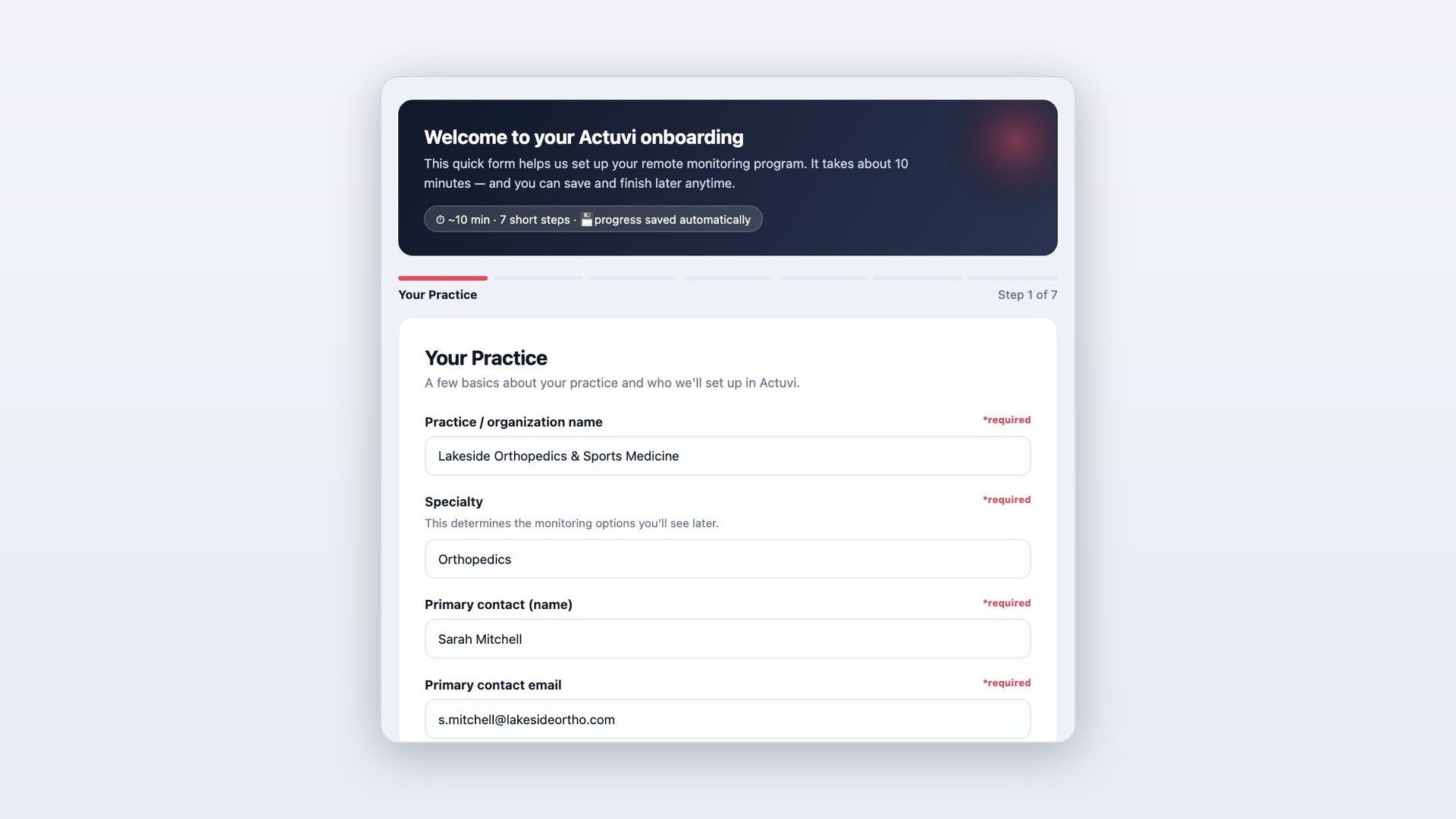
The builder opens with clinic basics. Specialty determines the monitoring options presented later in the form.
What do the seven steps cover?
Your clinic. Organization name, specialty, primary contact, and the program administrators to set up in Actuvi.
Program goals. Financial performance, patient engagement, clinical outcomes, or fewer calls to providers and staff. For each area you pick, you write the specific goal, so the program is built around what success means for your clinic.
Patient population. Planned enrollment, monthly patient volume, time between visits, payer mix, and the languages your patients need. Clinics with existing patients ready to enroll can request a bulk import in the same step.
What you'll monitor. Monitoring areas matched to your specialty, the assessments your patients should answer, and space for anything else you want tracked. Actuvi drafts sample assessments from your selections and emails it to you, so your team refines a draft instead of writing one.
Team and locations. Centralized, per site, or hybrid monitoring, each participating location, and the roles that need access, from physicians and therapists to medical assistants and patient caregivers.
Billing, milestones, and incentives. In house or third party billing, where invoices go, your target go live date, and enrollment targets for the first three months.
Agreements and consent. The Business Associate Agreement and the patient consent form, handled inside the form. More on that below.
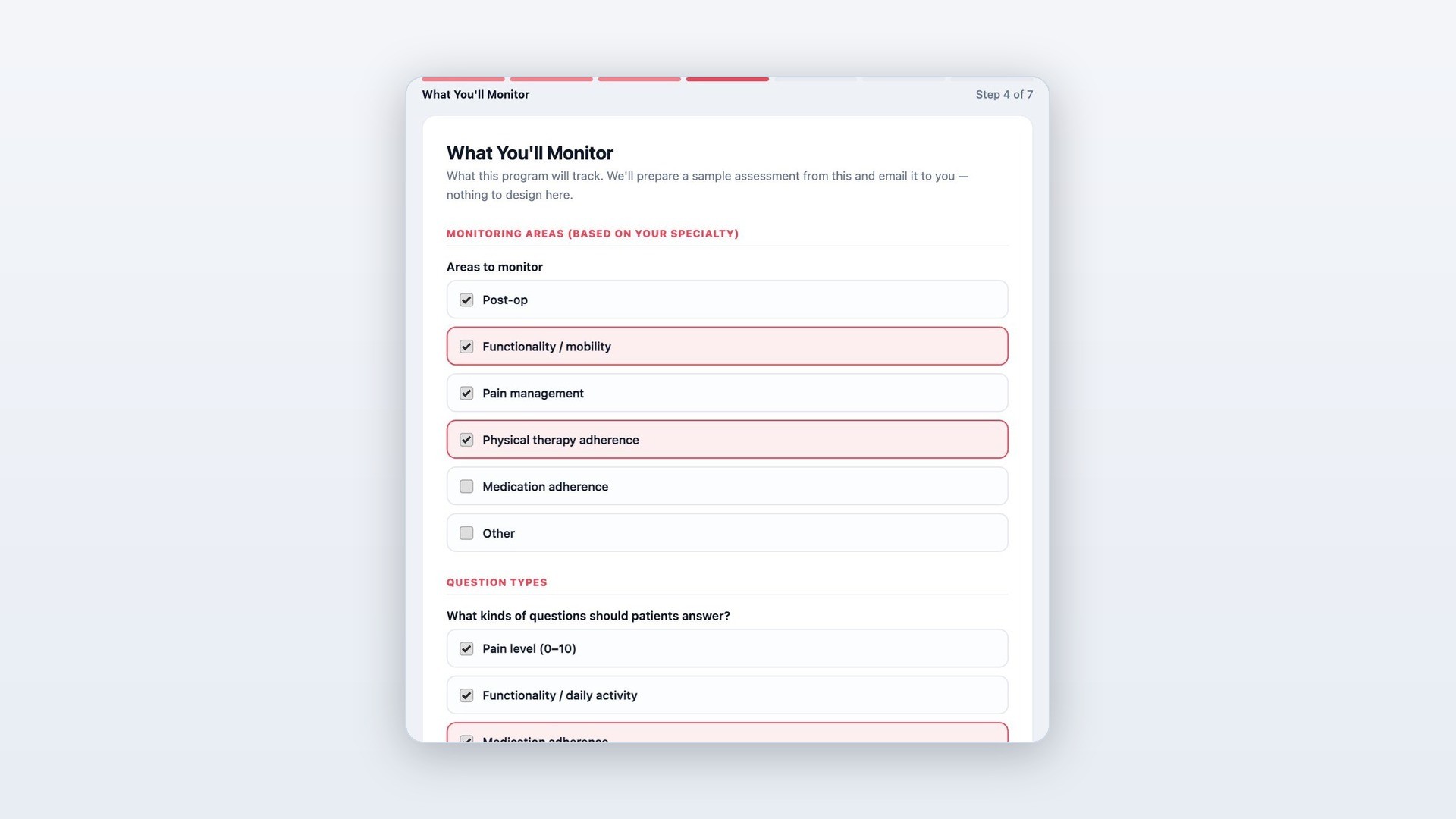
The monitoring areas shown come from the clinic's specialty, and Actuvi drafts sample assessments from these selections.
The Paperwork Happens Inside the Form
Download the agreement, fill it in, print it, sign it, scan it, send it back, and wait for a countersigned copy. In the builder, you enter your organization details once and watch a live preview of the agreement fill itself in. When it reads correctly, the authorized person signs electronically on the same page. No downloads, no printing, no attachments.
The patient RTM consent form sits directly below it. Use Actuvi's template as is, edit it in the browser, upload your own version, or opt out of electronic consent entirely if your clinic collects consent on paper.
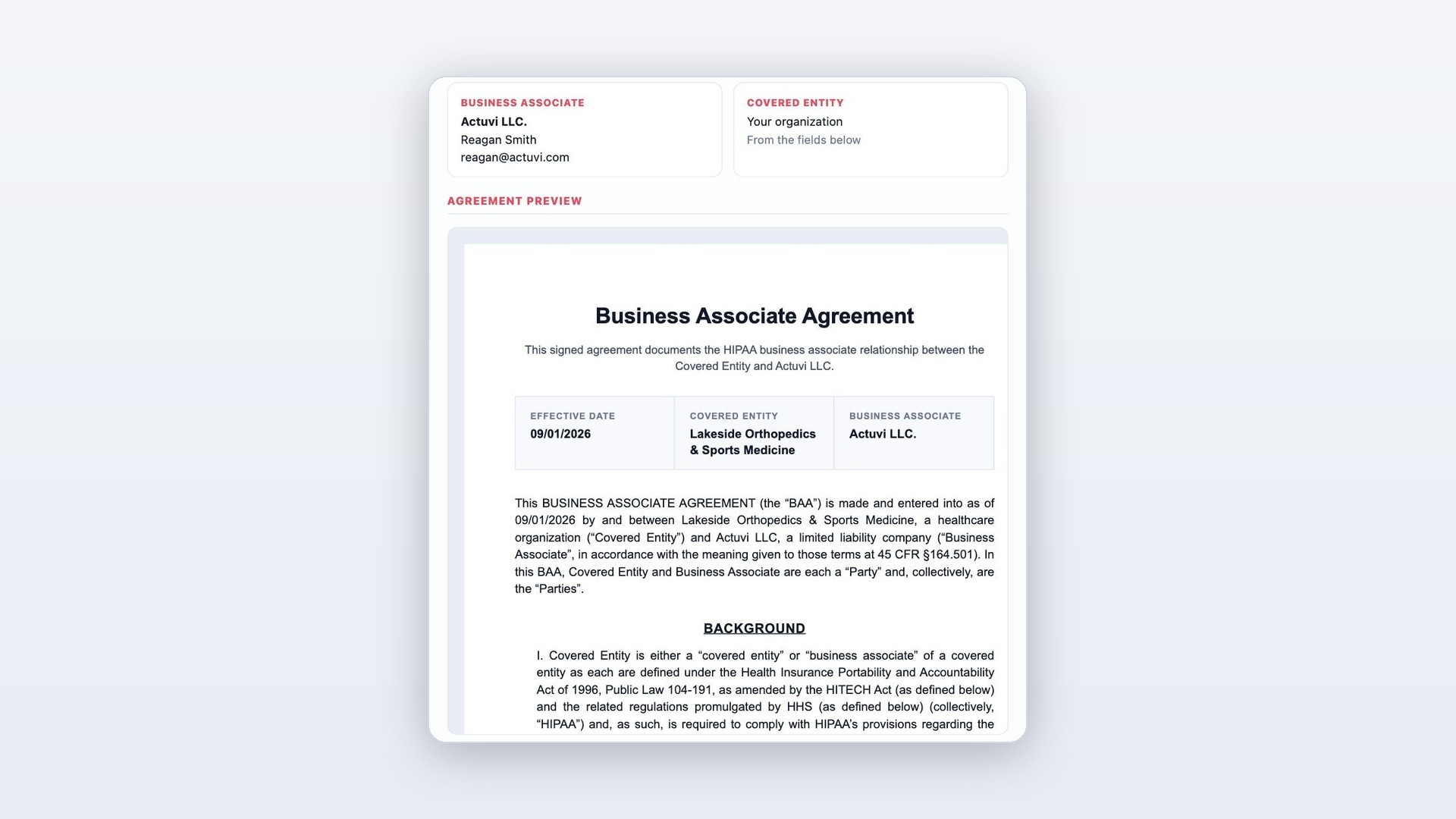
The BAA preview updates in real time as details are entered, and is signed on the same page.
What changes about your launch?
By the time your team gets on a call with Actuvi, the collection work is finished. The first meeting covers how monitoring will run day to day, training the staff, and enrolling your first patients. The program itself is still built and launched by Actuvi: assessments, clinical thresholds, staff training, and more.
The result is a launch that takes one to two weeks instead of four. Monitoring starts two to three weeks sooner, and so does the revenue attached to it. And because the builder sets your go live date and enrollment targets for the first three months, the program starts with milestones your team has already agreed on.
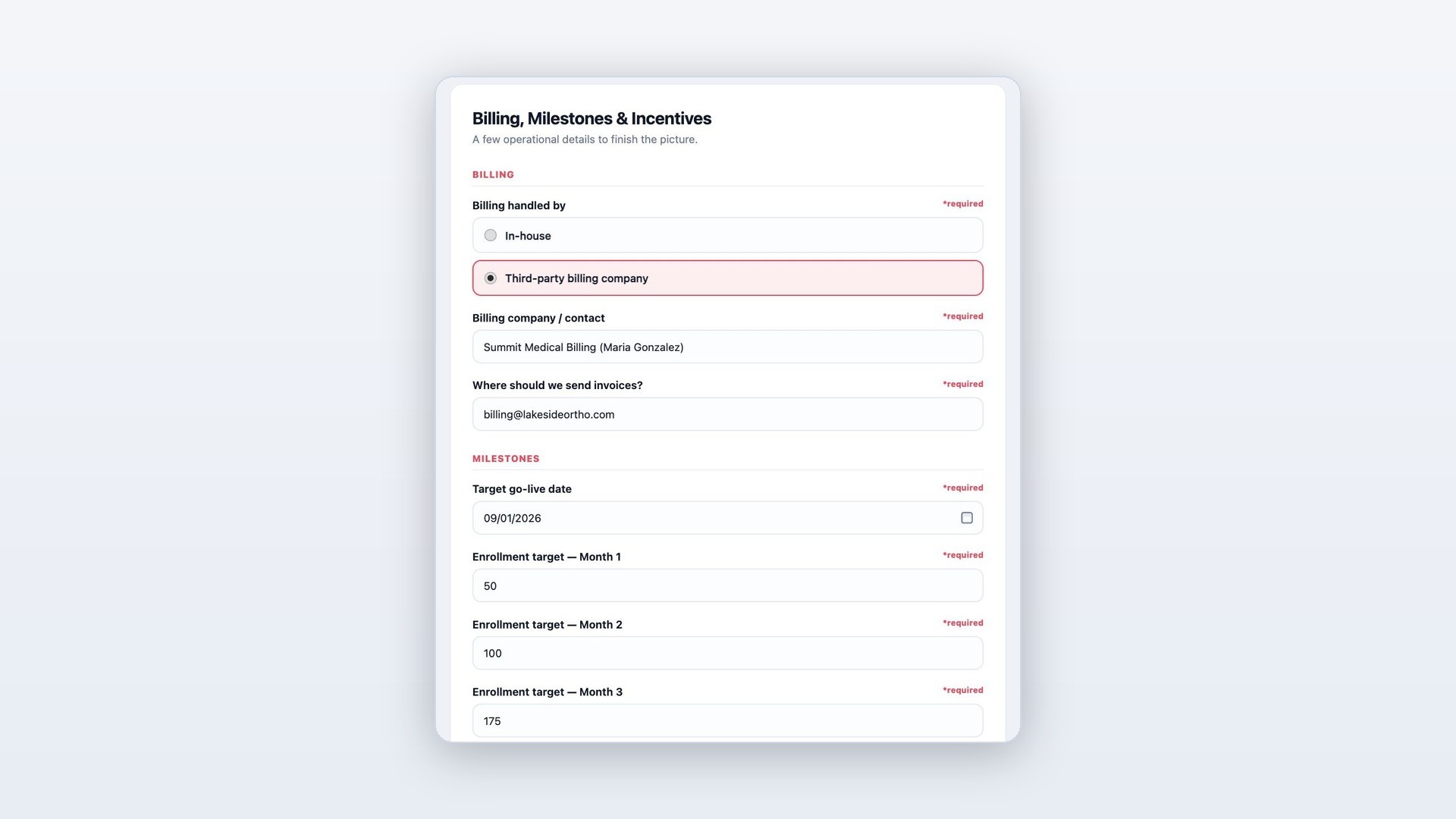
Billing setup, go live date, and enrollment targets are set in the form, so the launch plan is agreed before the first call.
Ready to Launch Your Remote Therapeutic Monitoring Program?
The RTM Program Builder is live for clinics launching RTM with Actuvi. If implementation effort is what kept RTM on your someday list, there is very little of it left. A week of delayed implementation is a week of unrealized revenue. Schedule a call to see what your patient volume looks like in revenue. New to RTM? Start with our complete RTM guide for 2026.
Our team will send you the full breakdown. Keep an eye on your inbox.
Book a call and get it now